
Key takeaway: Niantic collected 30 billion images through Pokémon Go over eight years, Pokémon Go AI training data is now used to train delivery robots. The game was free; the data was the price. That same exchange happens in most free apps your children use. Three questions, five minutes, and you can evaluate any app before hitting install.
About the author: Cliff is an IT project management consultant with 15+ years in cloud migration and digital transformation. He runs AiSD (AI | Sports | Dad), helping exhausted parents apply enterprise-grade systems thinking to family life. LinkedIn | X
Last updated: March 2026

What Happened With Pokémon Go’s Data
There’s a delivery robot navigating a city somewhere right now that learned to do it partly because your kids caught Pikachu. That’s not a metaphor.
Niantic, the company behind Pokémon Go, spent eight years building one of the most successful mobile games ever made. The game got people off the sofa, exploring their neighbourhoods, socialising in car parks at midnight over a fictional gym.
To play, you needed to interact with Pokéstops and gyms tied to real-world locations. Players submitted photos of those locations. Millions of players, across hundreds of countries, photographing streets, parks, landmarks, bus shelters, and pavements.
That was not just game content. That was a mapping project.
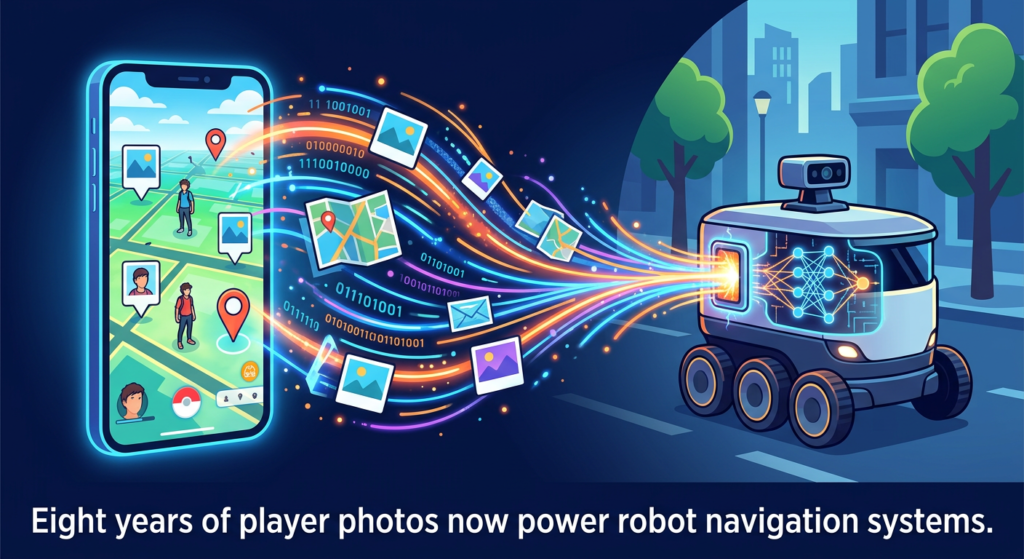
Eight years and 30 billion images later, Niantic has announced those photos are now being used to train delivery robots to navigate city environments. AI systems that need to learn how to move through real-world spaces need examples, enormous quantities of them. Real streets. Real lighting. Real weather. Real obstacles.
What Niantic built, through the mechanism of a free game, is one of the most comprehensive visual datasets of real-world urban environments ever assembled.
How Free Apps Actually Pay for Themselves
The game was free to download. The data was the price.
That is not a scandal. Niantic did not lie. The terms of service existed. What it is, though, is a clear illustration of how the economics of free digital products work.
When something costs nothing, the cost is usually your data: your patterns, your photos, your location, your time. Sometimes that data improves the product you’re using. Sometimes it funds the next product. Sometimes, as in this case, it becomes the foundation for an entirely different business in an entirely different industry.
This same exchange operates in most apps your children use. The reading app that tracks which words they struggle with. The maths game that logs their error patterns. The AI homework helper that learns from every question they ask. The deal is consistent: free access in exchange for usage data that builds the next product.
That’s not automatically sinister. Good tools improve when more people use them. The question is whether you’re making that trade consciously or discovering it after the fact.
The 5-Minute App Checklist for Parents
You don’t need to be a privacy expert. You need three questions and five minutes before your kid downloads the next thing.
- What data does this app collect? Check the App Store or Play Store listing. Scroll past the screenshots to “App Privacy” (iOS) or “Data Safety” (Android). Look for location data, photos, contacts, and usage analytics. If the list is long relative to what the app does, that’s a flag.
- Who owns what my child creates inside it? If your kid writes stories, draws pictures, or generates content within the app, check the terms of service for phrases like “perpetual licence” or “right to use.” That language means the company can use your child’s creations however they choose.
- Is there an alternative that does the same job with less data? Often, yes. A paid app collecting minimal data can be worth the cost over a free app collecting everything. The price of a free app is rarely zero.
I run the same three questions professionally when evaluating AI tools for enterprise clients. Three questions, five minutes, saves a lot of “I wish I’d known” later.
Another example here is when connecting apps to your social media. The number of times I’ve seen apps as for FULL access, ie, view followers, post , follow / unfollow, download your contacts & data etc. Always keep an eye out!
What This Doesn’t Solve
This checklist won’t catch everything. Terms of service are long, vague, and written by lawyers for other lawyers. That’s a systemic problem, not a personal failing.
Some apps collect data through mechanisms that aren’t obvious from the permissions screen. And some data collection is genuinely beneficial: a reading app that tracks difficulty levels to recommend appropriate books is using data well.
The point isn’t to become paranoid about every app. It’s to move from “is this free?” to “what am I paying with?” as the default question. You won’t always get a clear answer. But asking puts you ahead of most people.
A Conversation Worth Having With Your Kids
Your children aren’t passive consumers of technology. Every app they interact with is learning from them.
The Pokémon Go story is one of the clearest, most concrete versions of this dynamic. It makes a complicated idea easy to explain: “Those photos everyone took in Pokémon Go are now teaching robots to find their way around cities. The game was free, but the photos were what they actually wanted. That’s how lots of apps work.”
That’s not a warning. That’s a life skill. In 2026, understanding how your data is used is as basic as understanding how advertising works.
For more practical AI tools and systems for parents, visit The Education Hub. Newsletter subscribers get weekly breakdowns of AI developments that actually matter for families: Join The Squad.
Pokémon Go Data FAQ
Did Niantic break any laws?
No. The data collection was covered under the terms of service that players agreed to. Whether those terms were clear enough for users to understand the full scope of what they were consenting to is a separate question.
Is my child’s data at risk from Pokémon Go specifically?
This article uses Pokémon Go as an example of a broader pattern. If your child plays Pokémon Go, their location data and photos have contributed to Niantic’s dataset. Whether that constitutes a “risk” depends on your personal threshold for data sharing.
What’s the easiest way to check an app’s data collection?
On iOS, go to the app’s App Store page and scroll to “App Privacy.” On Android, open the Play Store listing and check “Data Safety.” Both give a summary of what the app collects.