
Key takeaway: NotebookLM is a free Google tool that transforms your documents (textbooks, PDFs, reports, web pages) into podcasts, videos, study guides, and presentations in under five minutes. Unlike ChatGPT or Claude, it only uses your source material, so there are no hallucinated facts.
About the author: Cliff is an IT project management consultant with 15+ years in cloud migration and digital transformation. He runs AiSD (AI | Sports | Dad), helping exhausted parents apply enterprise-grade systems thinking to family life. LinkedIn | X | YouTube
Last updated: March 2026
The Problem: When the Textbook Just Isn’t Working
My daughter was failing geography. Couldn’t get her head round erosion, rock types, the whole unit. The textbook wasn’t landing. I’d tried explaining it three times myself, pulling up diagrams, simplifying the language. Nothing clicked.
If you’ve got a kid who stares at a page for twenty minutes and retains nothing, you know exactly what this feels like. The information is there. The understanding isn’t.
I’d been using AI tools professionally for a while: Claude for writing, ChatGPT for brainstorming. But the problem with those tools for homework is they pull from everywhere. You ask about erosion and you get a blend of Wikipedia, academic papers, and whatever the model was trained on. Not the specific content your child is being tested on.
What Is NotebookLM and How Is It Different from ChatGPT?
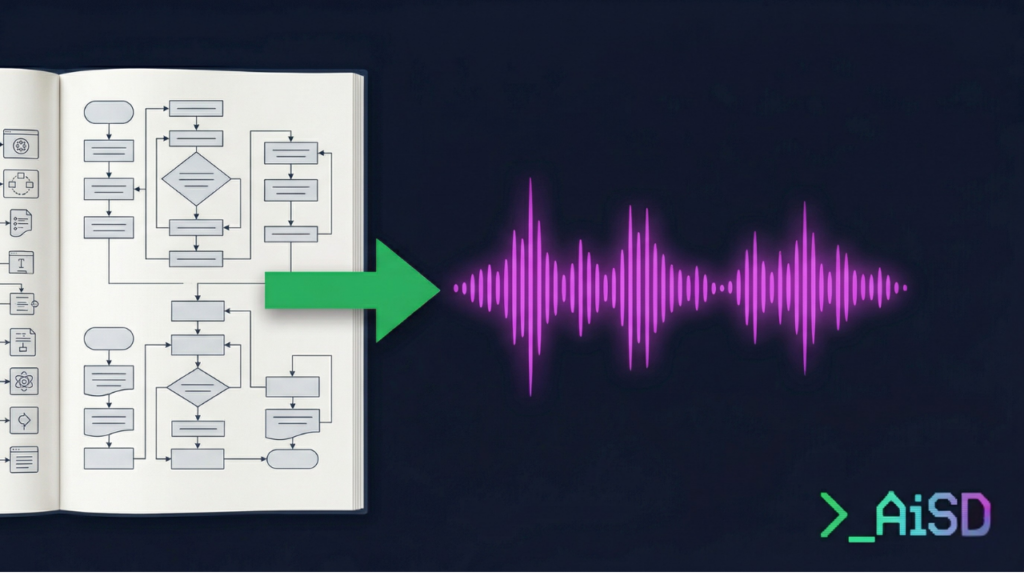
NotebookLM is a free tool from Google that takes documents you upload and transforms them into different formats: podcasts, videos, study guides, briefing documents, FAQs, and presentations.
The key difference from other AI tools: NotebookLM only uses your documents. It doesn’t pull from the internet. It doesn’t blend your content with training data. Everything it produces comes directly from what you feed it.
Think of it like this. ChatGPT and Claude are librarians who’ll answer your question using every book in the building. NotebookLM is a tutor who’s only read the one book you handed them and explains that book back to you clearly.
In practical terms, when I uploaded my daughter’s geography textbook pages, the podcast it generated discussed erosion and rock types using the exact terminology, examples, and explanations from her actual curriculum. Not a general overview. Her specific content.
Step-by-Step: How to Use NotebookLM
I took photos of the relevant textbook pages on my phone, about six pages covering the unit she was struggling with. Then I uploaded them into NotebookLM as sources.
Here’s the process:
- Go to notebooklm.google.com and sign in with your Google account.
- Click “New Notebook” and give it a name. I called mine “Geography, Erosion Unit.”
- Add your sources by uploading files or dragging them in. NotebookLM accepts PDFs, Google Docs, website URLs, YouTube links, and images of physical pages.
- Wait about thirty seconds while it processes the sources.
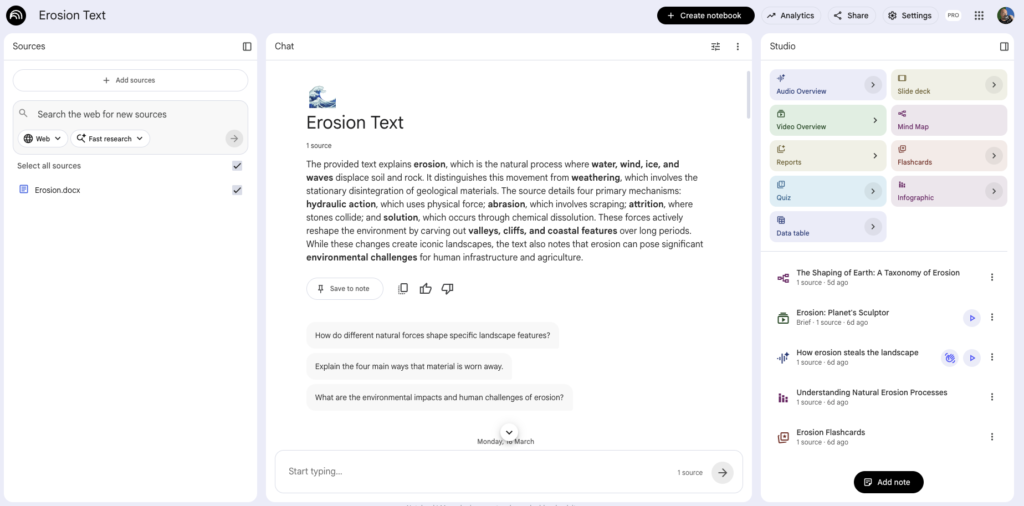
- On the right-hand side, you’ll see the output options. I selected “Audio Overview” first, that’s the podcast.
- Hit generate and let it run.
What came back was a podcast: two AI voices having a genuine conversation about erosion and rock types, using the content from her textbook, explained in plain English without the jargon that was tripping her up.
Then I generated the video output from the same sources. Same material, different format. A visual explainer covering the key concepts from those exact pages.
She watched the video once. Came back from school having actually understood the unit.
Total time from “phone out to take photos” to “here you go, watch this”: under five minutes.
She shared the video with her mates at school and they were blown away too!
The Work Version: Same Tool, Different Problem
Same week, different problem. I’m a project management consultant. Part of my job involves producing detailed governance documentation that, honestly, nobody wants to read.
I’d written a 40-page restructuring report. Solid document, but you can’t drop forty pages into a team meeting and expect engagement.
So I uploaded the report into NotebookLM and generated a structured presentation covering the key points, plus an infographic my team could actually follow. I picked the presentation output because the audience needed a walkthrough, not a deep read. Under five minutes, same process as the textbook.
Same tool. Two completely different problems. That’s the pattern that keeps pulling me back to it.
What NotebookLM Won’t Do (The Honest Bit)
It’s only as good as the source material you give it. If the textbook explains something poorly, the podcast will explain that poor explanation clearly. It won’t fill gaps with better information from elsewhere. That’s the trade-off of the “your documents only” approach.
The audio voices are AI-generated. Clear and conversational, but obviously not human. Some kids won’t care. Some might find it odd at first.
It requires a Google account. Free to use, but you need to be signed in.
And it’s still relatively new. Google keeps adding features (the video output is recent), so the interface may shift over time. The core workflow, upload sources, pick output, generate, stays the same.
Try It Yourself
Go to notebooklm.google.com. Start with whatever’s frustrating you right now: a school textbook, a work report, meeting notes, anything.
For the full video walkthrough with screen recordings of both use cases, watch the NotebookLM tutorial on YouTube.
Newsletter subscribers get early access to templates and the systems behind these tools. Sign up at newsletter.theaisportsdad.com.
NotebookLM FAQ
Is NotebookLM free?
Yes. It’s a free Google tool. You just need a Google account to sign in.
What file types does NotebookLM accept?
PDFs, Google Docs, website URLs, YouTube video links, and images of physical pages (photos from your phone work fine).
Can NotebookLM handle handwritten notes?
It can process images, so photographed handwritten notes may work depending on legibility. Typed or printed pages give the best results.
Does NotebookLM store my documents?
Your uploaded sources stay within your notebook. Google’s standard privacy policies apply. It doesn’t share your documents with other users or blend them into a public training set.
What outputs can NotebookLM generate?
Podcasts (Audio Overview), videos, study guides, briefing documents, FAQs, presentations, and infographics. The list keeps growing as Google adds features.